A simple diaper log for busy parents
Track wet and dirty diapers in one calm place.
Scoopy Log is a simple diaper log for parents. Record changes with one tap, see the day at a glance, and keep records for yourself or for appointments. It does not provide medical advice or diagnosis.
← Back to home · Sleep tracker · Feeding tracker · PDF reports
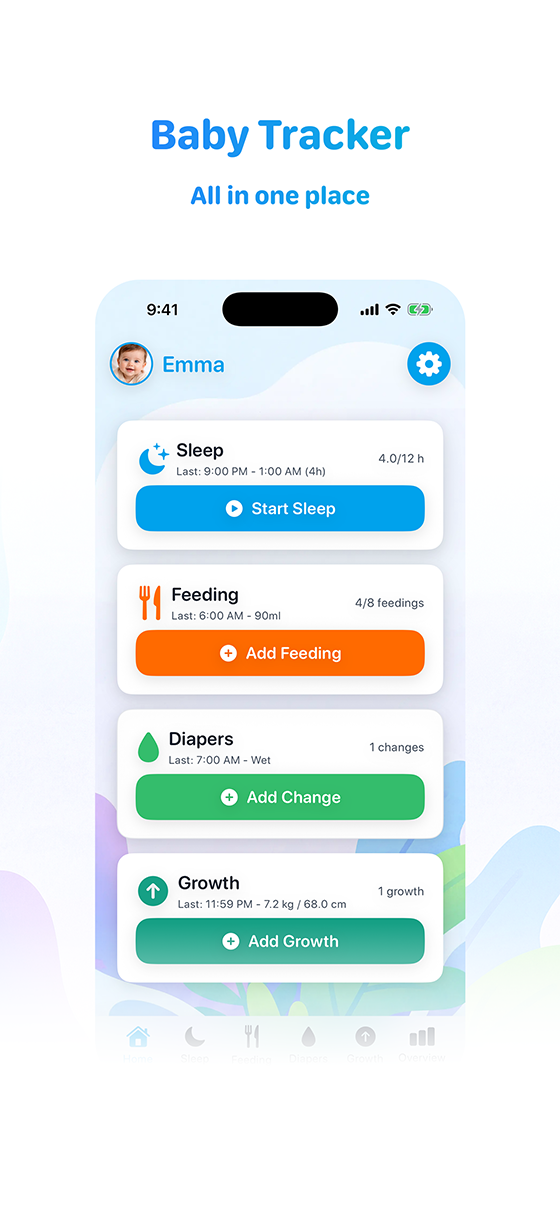
Quick diaper logging without extra friction
Logging diaper changes should take seconds. In Scoopy Log you tap to record wet, dirty, or both. No long forms or extra steps — just a clear entry in your daily timeline so you can move on with your day.
Keep daily records organized
All your diaper entries live in one timeline with sleep, feeding, and growth. You get a single place to see what happened and when. Useful for your own peace of mind or when you need to share a quick summary.
Clear review of the day in one place
See when the last change was and how the day looks at a glance. Review today or the week without digging. The app stays out of your way and gives you clarity when you need it.
Export reports when needed
When you need a record for a visit or for yourself, you can export a clean PDF. The free tier includes a summary; Premium adds the full Captain’s Log with detailed daily logs. Scoopy Log does not provide medical advice; the export is for your own reference.
Start your diaper log
Download Scoopy Log on the App Store. No account required to start logging.
Download on the App StoreCommon questions
Can I track wet and dirty separately?
Yes. You can log wet, dirty, or both with a single tap. Entries appear in your daily timeline with sleep and feeding.
Is this just for diapers?
No. Scoopy Log is one daily log for sleep, feeding, diapers, and growth. Diaper entries sit alongside everything else so you see the full day.
Can I export my diaper log?
Yes. You can export a summary PDF (Free) or the full Captain’s Log PDF (Premium) for your own records or to share when needed.
Is my data private?
Yes. No ads, no tracking, no data selling. Your logs stay on your device or in your optional iCloud account. We don’t have access.